A map for every Zoopla listing, with your travel times
See what's nearby on any Zoopla listing, and shortlist as you browse Zoopla's results pages, without a second tab.
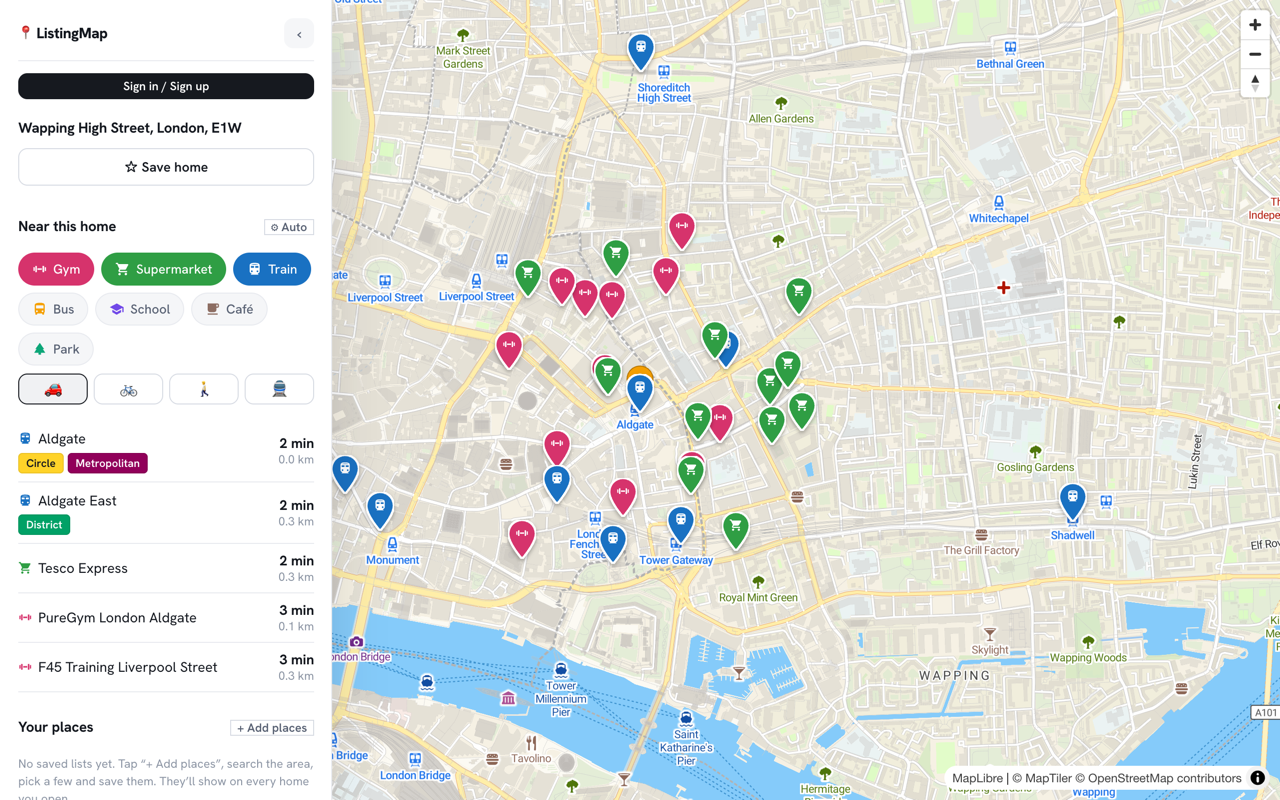
A Zoopla listing has a floorplan, a price history, sometimes a line or two about the area. What it doesn't have is a straight answer to whether the flat is a ten-minute cycle from work or forty. You either take it on faith or open Google Maps yourself and check, address by address.
ListingMap adds a button next to Zoopla's own "Local area information" section, using the location Zoopla already has for the property, so you can check the commute, the nearest station or the nearest gym without leaving the listing.
The same extension works on Rightmove and OnTheMarket too, with a hidden list kept separately for each site, so it fits however you actually search, one portal at a time or three tabs at once.
On a Zoopla listing
- 1
Next to Zoopla's local area section
The ListingMap button sits right after Zoopla's "Local area information" heading, or the map thumbnail above it.
- 2
A panel over the listing
Click it to open the property plotted against your saved places, or a category you pick, with real travel times.
- 3
Pop it out if you want more room
"Expand ↗" opens the same map full-size in a new tab.
On Zoopla's search results
- 1
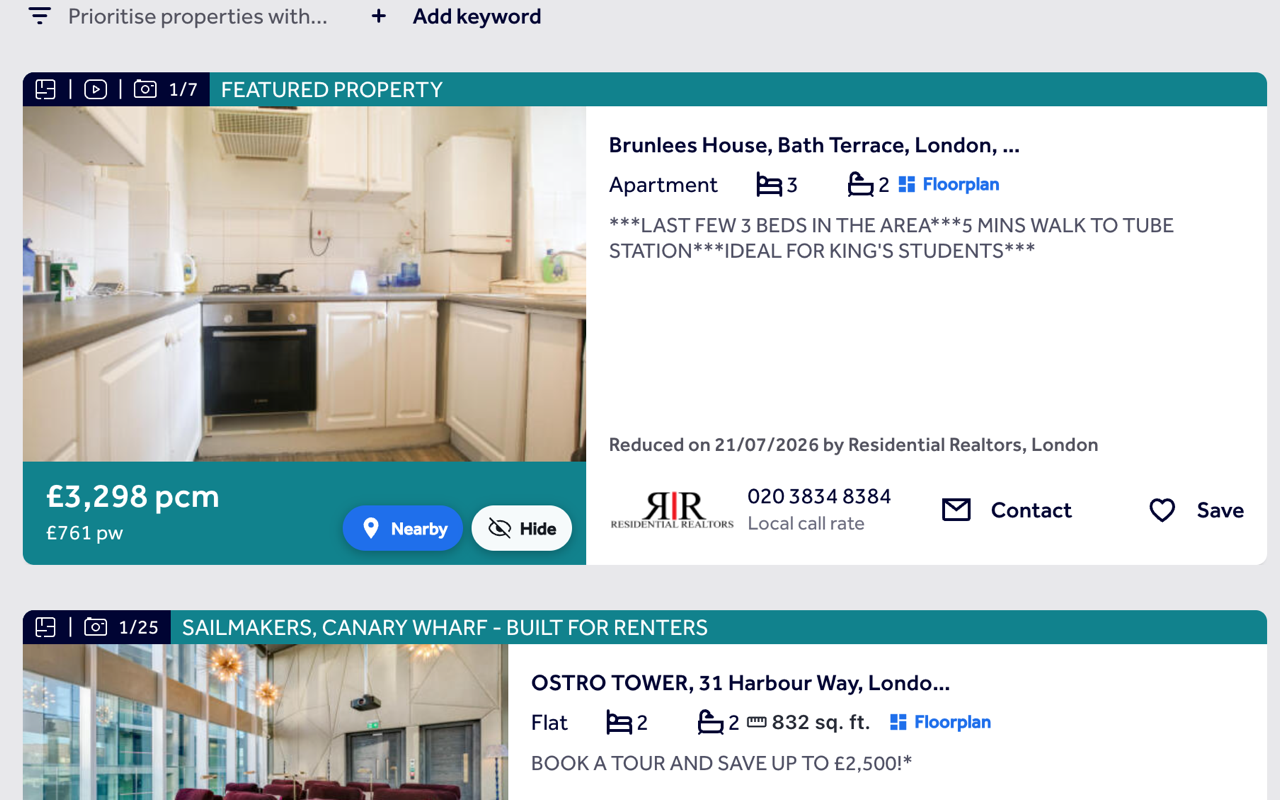
A Nearby button on every card
Every result on a Zoopla search gets its own Nearby button, in the photo's top corner.
- 2
Hide what's not right
Hide a card and it's gone from that search and the next, with a panel to bring anything back.
- 3
No duplicate size chip
Zoopla already prints the floor area on its own cards, so ListingMap focuses on what's missing: Nearby and Hide.
Common questions
Why is the button in a different spot on Zoopla than on Rightmove?
Each site's page is laid out differently. On Zoopla, ListingMap looks for the "Local area information" heading or map thumbnail and places the button right after whichever one is actually visible at your screen size.
Does it work on both Zoopla's for-sale and to-rent searches?
Yes, and new-homes listings too. A Zoopla listing's own page isn't treated as a results view, that's handled as a single listing instead, with the inline button.
Why don't Zoopla results show a floor-size chip the way Rightmove's do?
Zoopla already shows the floor area on its own cards, so a second one would just repeat the same number. ListingMap leaves it alone and adds Nearby and Hide instead.
Is my hidden list shared between Zoopla and Rightmove?
No. Hidden homes are kept separately per site, since a Rightmove listing ID and a Zoopla listing ID for the same flat aren't the same number.
Does ListingMap need an account to work on Zoopla?
No, it works without signing in. An account only keeps your saved places and hidden homes in sync if you use it on more than one device.
Does it work on Zoopla's new-homes search too?
Yes. New-homes listings use the same card layout as for-sale and to-rent, so Nearby and Hide appear the same way.
What if the Zoopla listing doesn't give a precise address?
ListingMap first checks the structured data Zoopla includes on the page for coordinates. If that's missing, it falls back to geocoding the address Zoopla shows, so the button still works, just with slightly less precision on a handful of older listings.
Also works on
United Kingdom
United States
Canada
Australia
See what's nearby, every time you open Zoopla.
Add it once and it follows you to every Zoopla listing and every search, with the same saved places and hidden homes right there on the page.
Install on your browser, free