ListingMap on Funda
See what's nearby on any Funda listing, and keep track as you browse te koop or te huur results, without a second tab.

A Funda listing (te koop or te huur) covers the floorplan, the energy label, sometimes a neighbourhood blurb. Your commute doesn't make the cut.
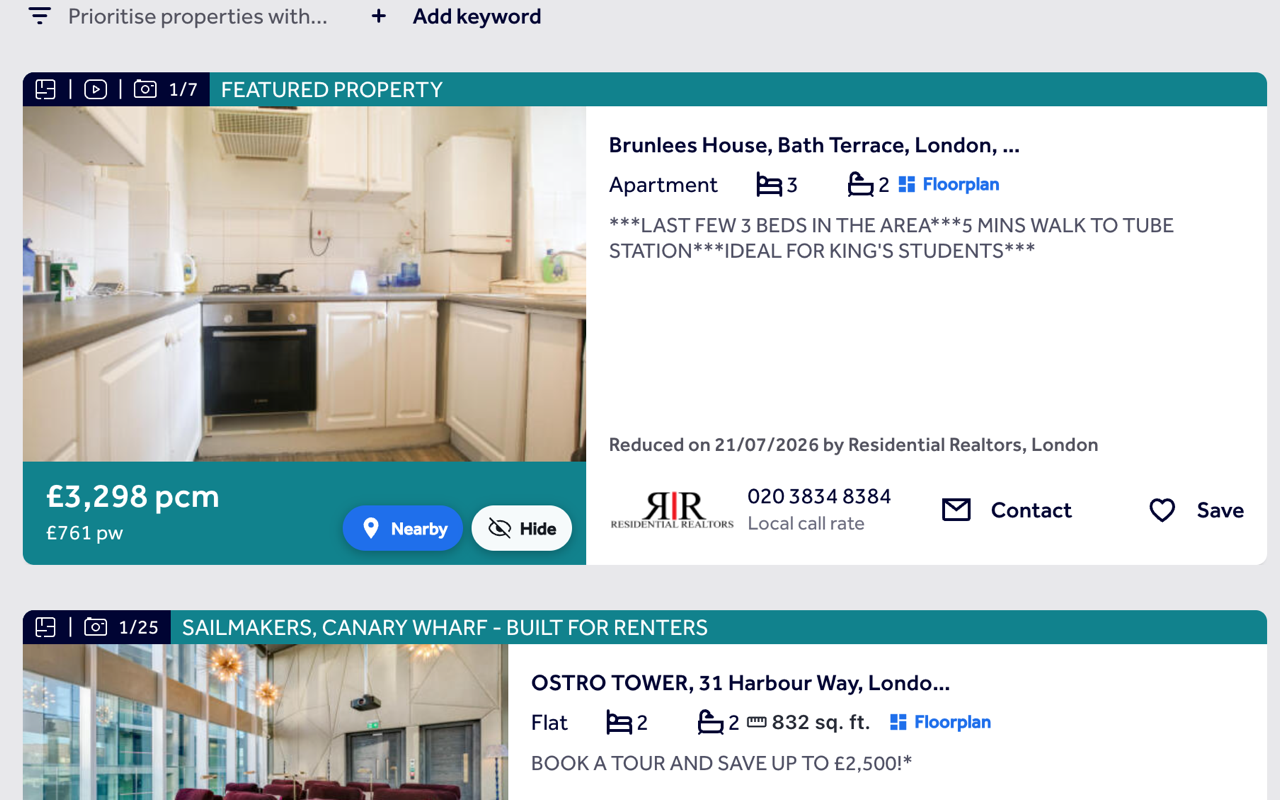
Funda doesn't embed coordinates on its pages, so ListingMap geocodes the address instead, then adds a button that puts the home on a map next to your saved places or a category you tap, with a real travel time. The same Nearby and Hide buttons show up on every card in Funda's search results too.
On a Funda listing
- 1
Floats, since there's nowhere fixed to sit
The button stays in the same corner of the page as you scroll through a te koop or te huur listing.
- 2
Your saved places, or gym, supermarket, train
Click it for the home against your saved places, or tap gym, supermarket or train and see the closest matches with a real travel time.
- 3
Pop it out, or get back to browsing
"Expand ↗" moves the map into its own tab. Close the panel and you're back on the listing straight away.
On Funda's search results
- 1
Nearby on every card
Each result on a Funda search (koop or huur) gets its own Nearby button, using the address on the card since Funda doesn't embed coordinates there either.
- 2
Out of sight, out of the way
Hide a home you've ruled out and it won't reappear, though a panel lets you bring any of them back.
- 3
No duplicate size chip
Funda already shows the floor area on its own cards, so ListingMap doesn't add a second one.
Common questions
Does it work on both te koop and te huur searches?
Yes. Nearby and Hide appear on Funda's buy and rent results the same way.
Why does Funda geocode the address instead of using exact coordinates?
Funda doesn't embed coordinates on the page, so ListingMap reads the address instead and geocodes it. It's very close, just not pixel-exact.
Do I need to sign in to use it on Funda?
No, Nearby, Hide and travel times all work without an account. Sign in only when you want your saved places and hidden homes to follow you across devices.
Will it slow down Funda or change how the page looks?
No, it's just a button, plus a panel once you've opened it. Funda's own layout carries on as normal.
Also works on
United Kingdom
United States
Canada
Australia
See what's nearby, every time you open Funda.
Add it once and it follows you to every Funda listing and every search, with the same saved places and hidden homes right there on the page.
Install on your browser, free