A map for every Zillow home, with your travel times
See what's nearby on any Zillow listing, and keep track as you browse search results, without a second tab.

Zillow gives you a Zestimate, a price history, maybe a walk score. None of it answers the question that decides things: is this a fifteen-minute drive from your job, or forty-five?
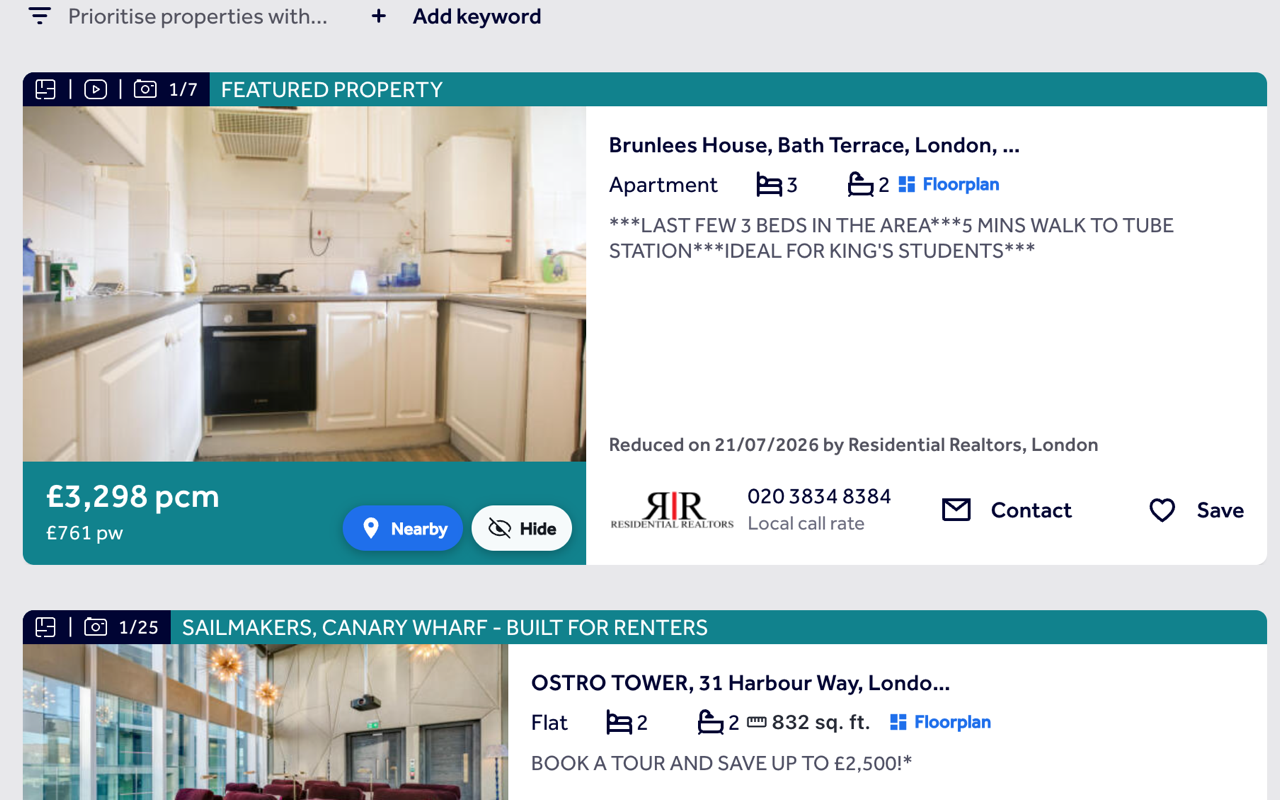
ListingMap puts a button right on the listing. Open it and the home lands on a map next to your saved places, or a category you pick, gym, station, supermarket, each with a real travel time. The same extension adds a Nearby button and a Hide button to every card on Zillow's search results, so a home can get ruled out before you ever click into it.
On a Zillow listing
- 1
No fixed spot, so it floats
Zillow's layout doesn't give ListingMap one consistent place to anchor to, so the button floats in the same corner instead, following you as you scroll.
- 2
Pick a place or a category
Click it for the home plotted against your saved places, or tap gym, supermarket or train and get the nearest ones with a real travel time each.
- 3
Full-size when you want it
The "Expand ↗" link pops the same map into its own tab. Close the panel instead and you land right back on the listing.
On Zillow's search results
- 1
Nearby on every card
Each result on a Zillow search gets its own Nearby button, reading the same listing data Zillow's own page uses.
- 2
Rule a home out for good
Hit Hide and it drops out of that search and every one after, with a panel to bring anything back if you change your mind.
- 3
Size shown in square feet
Where Zillow lists it, the floor area shows right on the card, in square feet, next to the beds and baths.
Common questions
Does ListingMap work on Zillow's map view as well as the list view?
Yes. Wherever Zillow renders its results as cards, list or map, Nearby and Hide appear the same way.
Do I need to sign in to use it on Zillow?
No, an account isn't needed for hidden homes or travel times to work. Signing in only syncs your saved places and hidden homes if you use more than one device.
Is the square footage shown accurate?
It's read straight from the same data Zillow uses for the card itself, not a separate estimate.
Will it change how Zillow looks or slow the page down?
No, it's a button and, once you open it, a panel over the page. Zillow's own layout, listings and search results don't change.
Does hiding a home on Zillow also hide it on Redfin or Realtor.com?
No, each portal keeps its own hidden list. The same property almost always carries a different listing ID on Redfin or Realtor.com, so there's nothing to match it against.
Also works on
United Kingdom
United States
Canada
Australia
See what's nearby, every time you open Zillow.
Add it once and it follows you to every Zillow listing and every search, with the same saved places and hidden homes right there on the page.
Install on your browser, free