ListingMap on OnTheMarket
See what's nearby any OnTheMarket listing, and shortlist as you browse the results page, all in one tab.
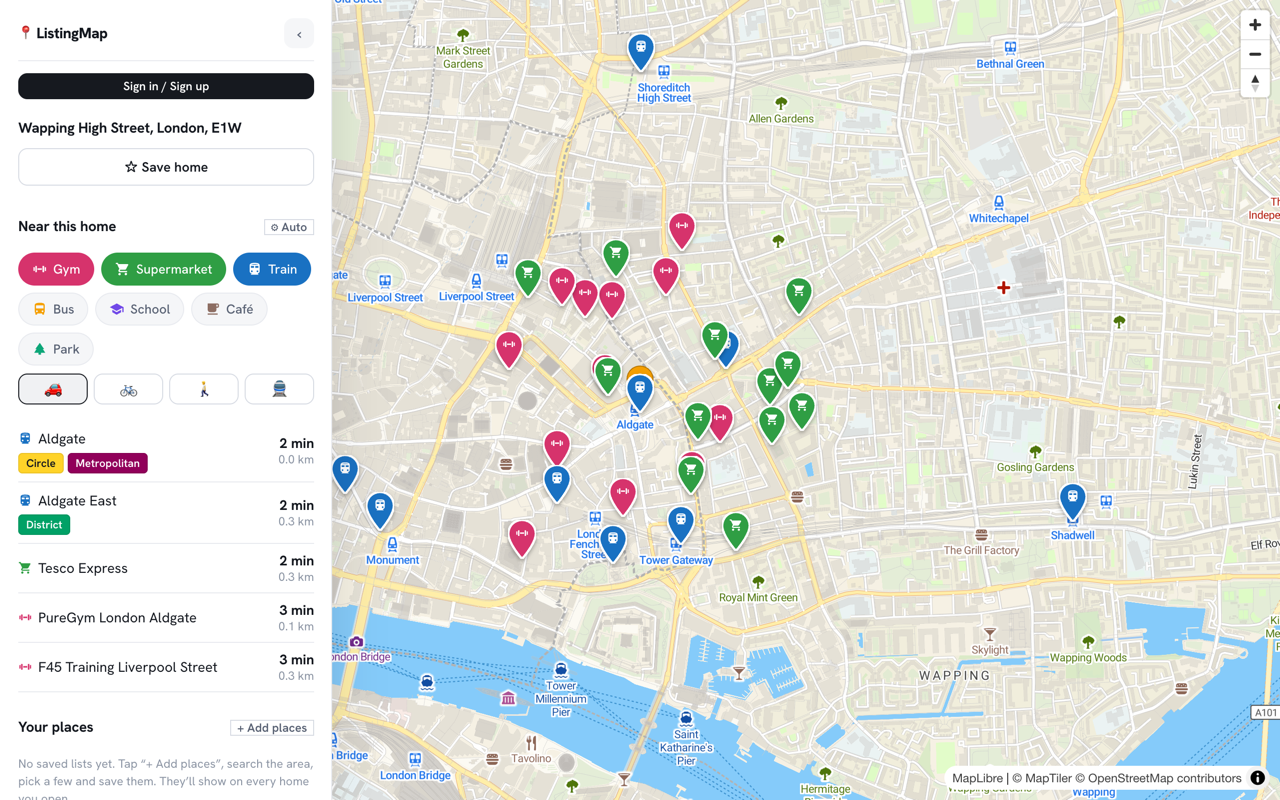
OnTheMarket listings are light on extras compared to the bigger portals: no built-in area guide, no walkscore blurb, just the property itself. That's fine for the basics, but it still leaves you guessing at the commute, or the walk to the nearest station.
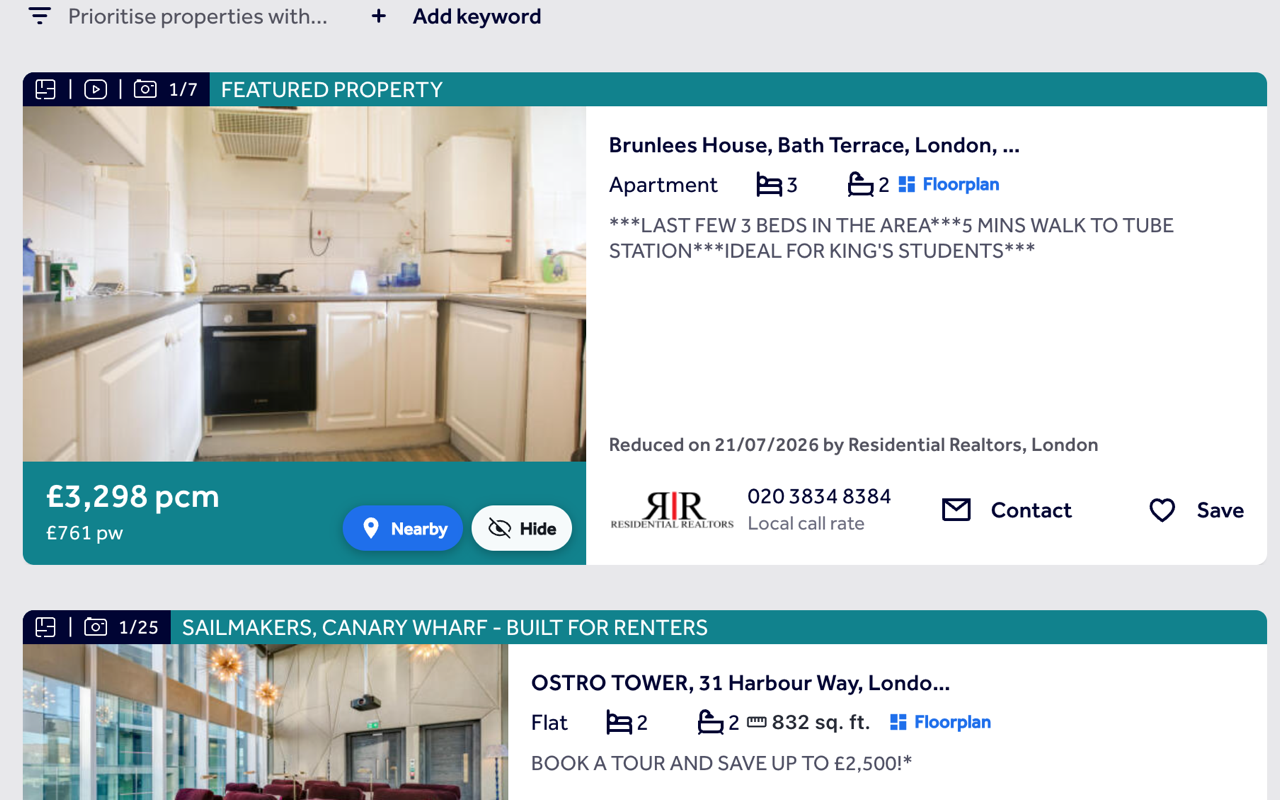
ListingMap adds a button to every OnTheMarket listing, and a Nearby and Hide pair to every card on its results pages, reading the same location data OnTheMarket's own page already carries.
The same extension covers Rightmove and Zoopla as well, so if a property is listed on more than one site, ListingMap works the same way on all of them, without you having to remember which button goes where.
That matters more than it sounds: a lot of house-hunters check the same street on two or three portals before booking a viewing, comparing photos, price history and agent notes. ListingMap keeps your saved places and your commute times the same wherever you're looking, so the answer to "how far is this from work" doesn't change depending on which site happened to list it.
On an OnTheMarket listing
- 1
A button on the page
OnTheMarket has no fixed map section, so ListingMap shows a small floating button instead, always in the same corner.
- 2
Open the map, tap a category
See the home against your saved places, or tap gym, supermarket or train for the nearest ones with real travel times.
- 3
Expand it or move on
Send it full-size to its own tab with "Expand ↗", or close the panel and you're straight back on the listing.
On OnTheMarket's results pages
- 1
Nearby on every card
Each result gets a Nearby button, placed over the top corner of its photo.
- 2
Hide and keep browsing
Hide a home you've ruled out and it stays gone, with a panel to restore anything hidden by mistake.
- 3
Floor size, where OnTheMarket lists it
Where a card's feature list states a floor area, ListingMap shows it next to the beds and baths.
Common questions
Why does the button float instead of sitting next to the map, like on Rightmove?
OnTheMarket's listing layout doesn't have a single, consistent map section to attach a button to, so ListingMap shows a small floating button instead. It opens the same panel either way.
Does it work on OnTheMarket's new-build listings too?
Yes. Wherever OnTheMarket treats a page as one specific listing, the button and the overlay work the same way.
Is the floor size on OnTheMarket results accurate?
It's read straight from the text OnTheMarket includes with the listing's photos, so it matches what's on the page. Where a listing doesn't state a floor area, no size is shown rather than a guess.
Does OnTheMarket know ListingMap is running?
No. ListingMap runs in your browser and only reads the location already on the page you're viewing. It doesn't contact OnTheMarket or change the page for anyone else.
Do I need an account to use it on OnTheMarket?
No, not there or anywhere else. An account only keeps your saved places and hidden homes synced across more than one device.
Does hiding a home on OnTheMarket also hide it on Rightmove?
No. Each site keeps its own hidden list, because a home usually has a different listing ID on each portal, even when it's the same property.
Can I search around a different spot than the listing's own address?
Yes. Once the map panel is open, drag it to wherever you want and use "Search this area" to re-run a category, gym, supermarket, train, centred on the new spot instead of the OnTheMarket listing's address.
Also works on
United States
Canada
Australia
See what's nearby, every time you open OnTheMarket.
Add it once and it follows you to every OnTheMarket listing and every search, with the same saved places and hidden homes right there on the page.
Install on your browser, free