A map for every Domain listing, with your travel times
See what's nearby on any Domain.com.au listing, and keep track as you browse results, without a second tab.

Domain.com.au gives a listing its own inline map section, an agent's price guide, sometimes a suburb profile. What it skips is how far the place is from your own gym or your commute.
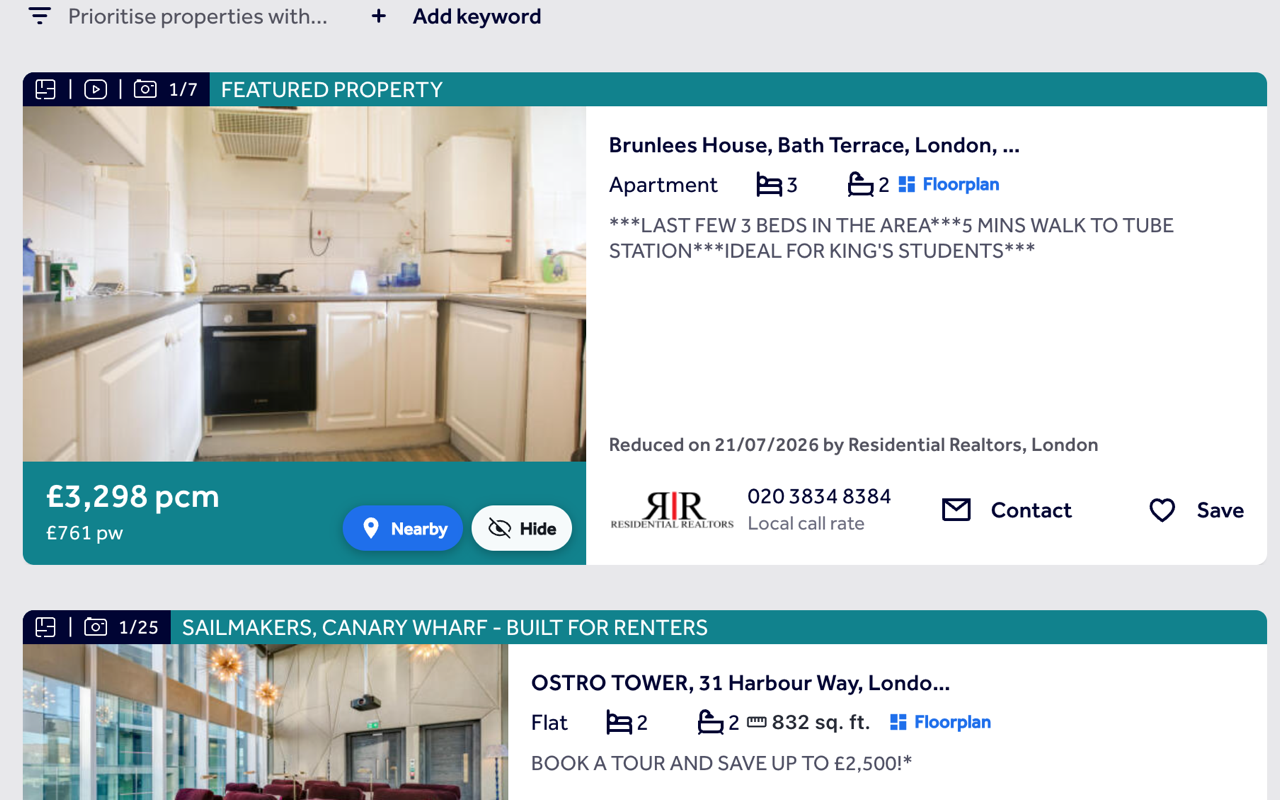
ListingMap adds a button that puts the home on a map next to your saved places, or a category you tap, with a real travel time. On Domain's search results the same Nearby and Hide buttons show up on every card.
On a Domain.com.au listing
- 1
Stays put in the corner
The button floats over the listing and follows you as you scroll, since Domain's layout has no one fixed spot for it.
- 2
Saved places, or gym, supermarket, train
Open it for the home against your saved places, or tap gym, supermarket or train and get the nearest ones with a real travel time each.
- 3
Pop it out, or close and carry on
"Expand ↗" sends the map to its own tab, full-size. Close the panel instead and you're straight back on the listing.
On Domain's search results
- 1
Nearby on every card
Each result on a Domain search (rent, sale or sold) gets its own Nearby button, reading the same address and coordinate data Domain's own page loads for that listing.
- 2
Hide it and move on
A hidden home stays out of the results from then on, with a panel to review and restore anything you've hidden.
- 3
Controls clear of Domain's own tags
The Nearby and Hide buttons sit in the top corner of the photo, clear of Domain's own "New" tag and photo counter in the bottom corners.
Common questions
Does it work on rent, sale and sold-listing searches?
Yes. Nearby and Hide appear the same way across Domain's rent, sale and sold-listings pages.
Do I need to sign in to use it on Domain.com.au?
No, Nearby, Hide and travel times all work with no account at all. Signing in only comes into play if you want your saved places and hidden homes synced across devices.
Will it slow down Domain or change how the page looks?
No, just a button and, once you've opened it, a panel over the page. Domain's own layout, listings and search results are untouched.
Does hiding a home here also hide it on realestate.com.au?
No, hidden lists are kept separately per site. A home's listing ID on realestate.com.au won't match the one Domain uses for it.
Also works on
United Kingdom
United States
Canada
Australia
See what's nearby, every time you open Domain.com.au.
Add it once and it follows you to every Domain.com.au listing and every search, with the same saved places and hidden homes right there on the page.
Install on your browser, free